
Nine things I would do differently marketing my iOS app on TikTok
I spent six weeks posting the app I built on TikTok around a full-time job. The result was not a viral case study. It was a much more useful list of what I would stop doing.

I spent six weeks posting Pocket Orbit on TikTok while working a 9-to-5. I did not come out of it with a viral case study. I came out with a much more useful list of things I would stop doing.
Pocket Orbit is the iPad note-taking app I was promoting at the time. Marketing it created the opposite of the product I wanted to build: more formats, more files, more dashboards, and more tiny handoffs I had to remember.
The posts received views, saves, and questions about the app. Product activity moved during the same experiment. That still did not give me a clean line from one TikTok to one install or one paid subscription.
Most advice about TikTok marketing for iOS apps starts at the first post. Here is what I would change before getting there.
1. Build the distribution workflow before launch
The first mistake happened before the first post. I spent months getting Pocket Orbit ready and almost no time getting the marketing process ready. Once it was live, every channel looked urgent.
I should have decided earlier which product moments were worth recording, how one recording would become several platform versions, and where the result would be logged. Launch week should not also be the first time you learn how long one usable video takes.
A useful content creation workflow begins before the camera: source, destination, review, intended slot, and later the actual public result.
2. Stop creating every video from zero
At first I treated every post like a separate creative project: new idea, new setup, new footage, new edit. Around a full-time job, that gets stupid fast.
The first useful change was spending one weekend recording enough raw material for five of the next seven videos. I could still change the hook and edit without rebuilding the entire production setup every day.
3. Do not assume the most original format will win
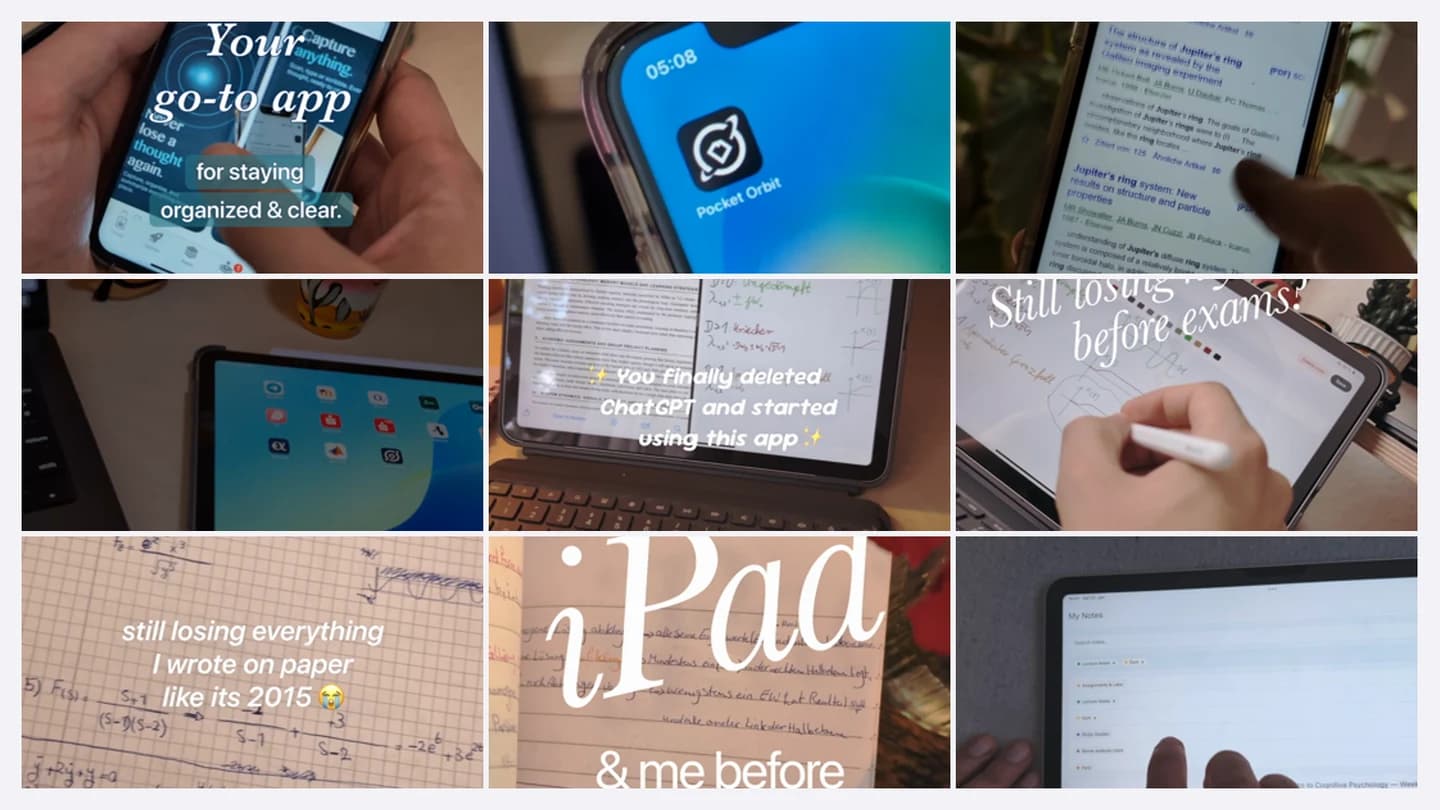
The best result did not come from the script I thought was most original. It came from a format already working for somebody else, where I kept the hook structure, text rhythm, and music but rebuilt the message around Pocket Orbit.
That is not the same as copying their product, footage, result, or claim. I borrowed a format the audience already knew how to consume, then put my own product and evidence inside it.
4. Treat the recording device as part of the hook
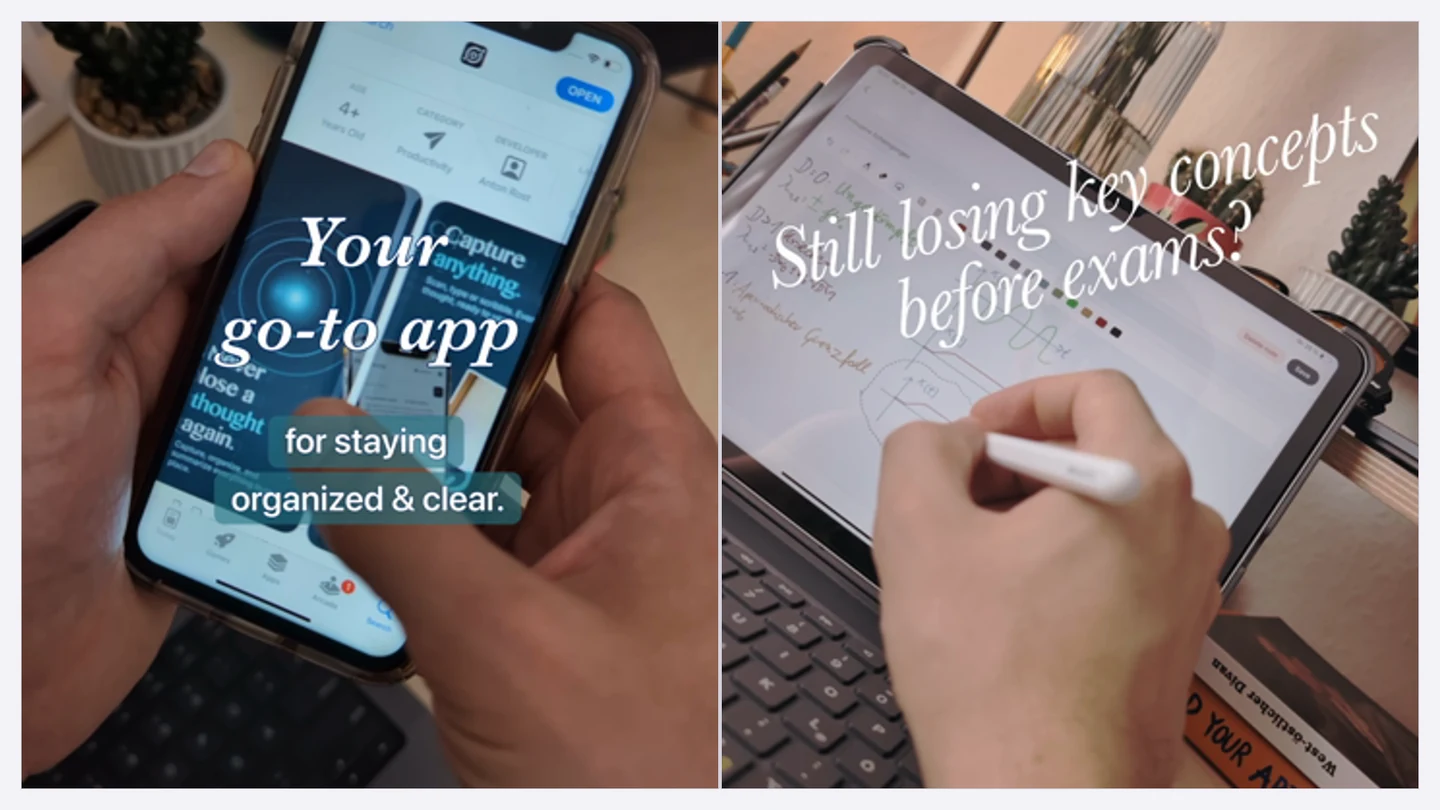
After two weeks, the iPad clips were doing better than the iPhone ones often enough that I changed the next batch. The larger screen made the note-taking use case obvious and showed more of the interface without needing an explanation.
I had grouped everything under “Pocket Orbit videos”, which hid a useful difference. Next time I would test device, crop, hand position, background, and the first visible frame as separate variables.
5. Stop treating a few hundred views as a diagnosis
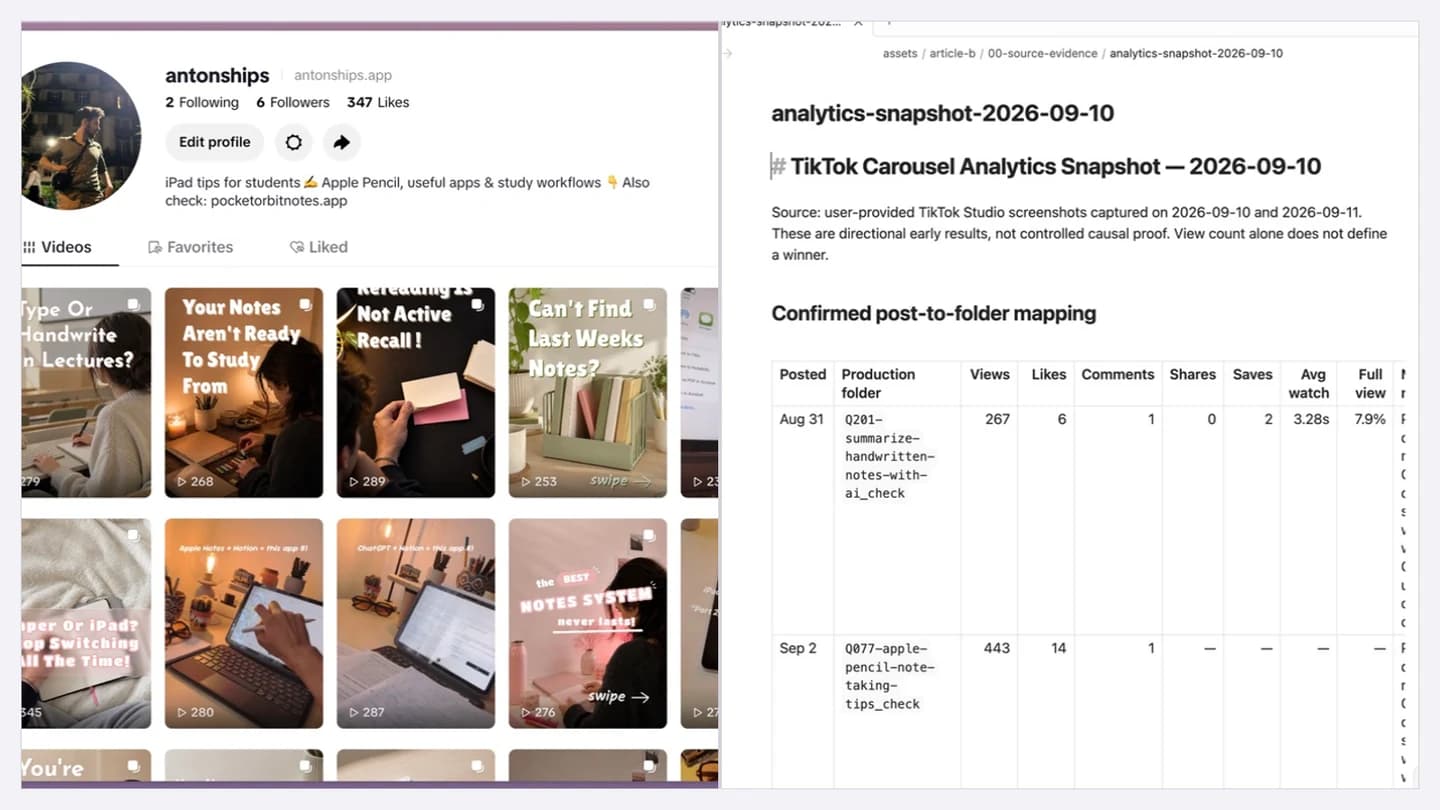
Most early posts stayed in the low hundreds. That can mean a weak opening, a young account, poor audience fit, the wrong format, or ordinary variance. One number cannot tell me which.
The useful comparison is a series with the same observation window. I need to know whether people stayed, saved, commented, opened the profile, or asked about the app. A view count on its own is neither a failure nor a win.
6. Separate new customers from paid customers
Seeing activity move in RevenueCat felt good because it meant real people were reaching the app. It did not mean those people had subscribed.
I should have kept app arrivals, sign-ups, trials, and paid subscriptions beside each other from the start instead of letting one nice-looking line carry the whole story.
7. Show enough product value before the paywall
PostHog showed people arriving and signing up, but some left during onboarding and the ones who made it through were not turning into premium subscribers.
The flow asked for a trial decision before people had properly seen the product work. I knew what Pocket Orbit did because I had spent months inside it. Somebody arriving from an eleven-second video had none of that context.
I started rebuilding the sequence so it could show real features in short loops before the paywall. That is still a hypothesis I am testing, not a conversion win.
8. Stop asking one dashboard to explain the funnel
TikTok describes attention. PostHog describes what happened inside the app. RevenueCat describes customer and subscription state. All three can be accurate while the story connecting them is wrong.
The stages need to stay separate: TikTok attention, app arrival, onboarding behaviour, paywall exposure, trial, and subscription. If the dates and attribution do not connect, I should not pretend one post caused one install.
9. Let one recording session serve several destinations
The raw product moment can travel. The finished post should not.
A TikTok edit, Instagram Reel, YouTube Short, and X clip need their own opening, crop, metadata, and sometimes a different explanation. Reusing the footage saved time. Uploading the same final file everywhere would only have moved the mess downstream.
That is the useful answer to how to repurpose content: keep the source stable, then use deliberate destination versions instead of treating every platform as another upload box.
Then the files started becoming their own problem. One useful recording could produce several edits, captions, upload notes, and later an analytics receipt. Once those stopped pointing back to the same source, I had no trustworthy answer to a very simple question: what actually made it live?
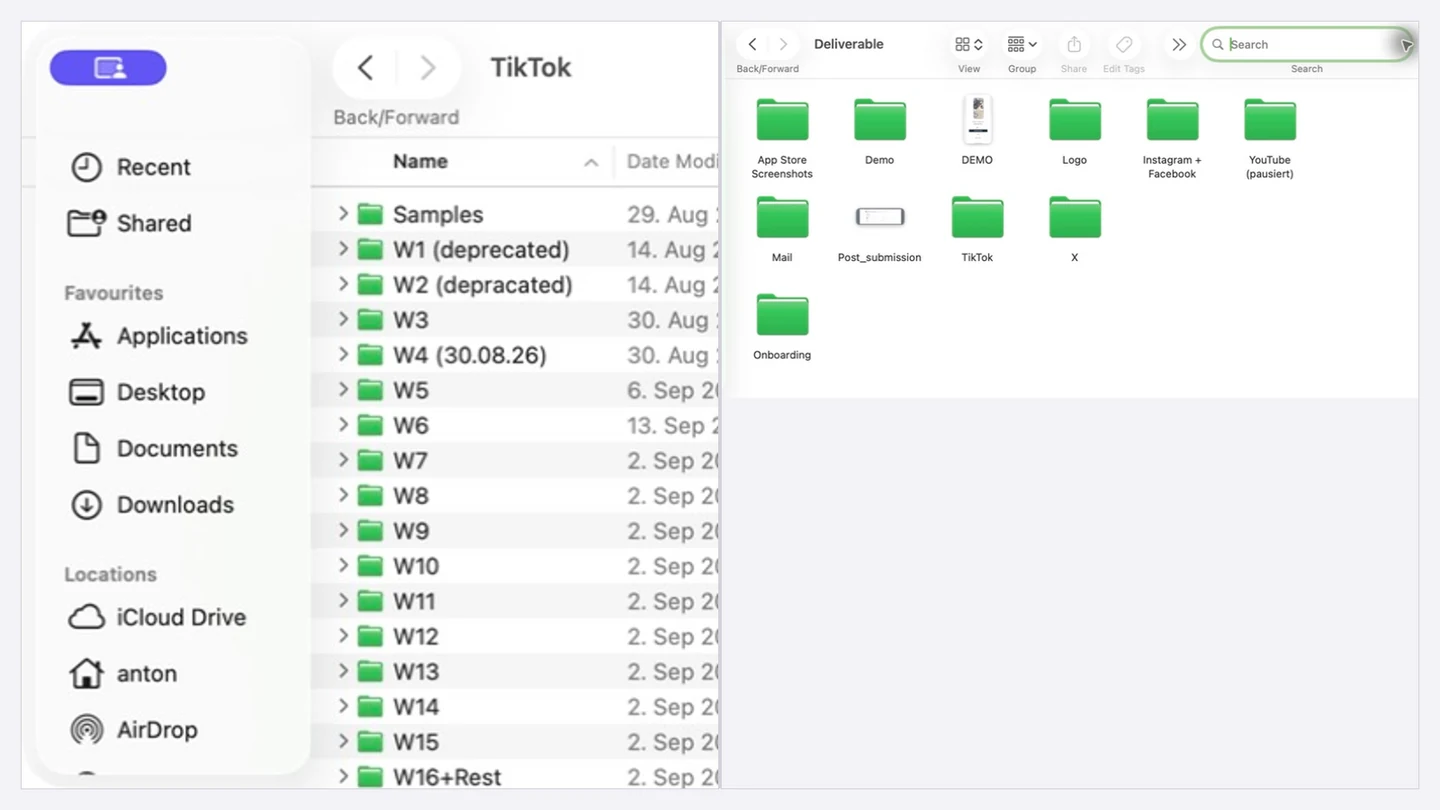
That is what a useful social media content workflow needs to preserve. One source stays attached to its destination versions, review state, intended slot, and actual publication result. A content calendar can show when something is meant to go out. It cannot prove that the right version reached the right platform.
What I am testing next
The next test is a controlled set of search-based carousels against the video formats I already used. I will keep the question, first-frame promise, device, and observation window visible instead of changing everything at once.
I will check the same posts after one day, seven days, and thirty days. TikTok attention stays separate from product activity, trials, and paid subscriptions unless the attribution actually connects them.
If old carousels keep receiving search traffic, useful. If they disappear after two days, also useful. I do not need the experiment to become a victory lap. I need it to make the next decision less random.
The part I could actually systemize
I still have to make something worth showing, decide what to say, and fix the product problems the attention reveals.
What I could systemize was the publishing operation around it: keep one source attached to the TikTok, YouTube, and X versions, review each one, schedule it, and record what actually became public.
That mess became Sendezeit. If the same handoff is eating your evenings, review the current TikTok publishing options or see how provider-aware publishing works before starting the three-day trial.
People also ask
The practical questions behind the workflow.
How often should an iOS app post on TikTok?
Use the smallest cadence that still leaves time to compare hooks, devices, formats, and retention over a consistent observation window. For this experiment, batching footage made that cadence possible around a full-time job.
Do TikTok views prove app installs?
No. Views describe attention inside TikTok. You need connected attribution to claim that a specific post caused an install, trial, or paid subscription.
Should the same video be uploaded everywhere?
Reuse the raw product moment, not necessarily the finished post. Each destination may need a different opening, crop, caption, metadata, or explanation.
What is a social media content workflow?
It is the path from one real source through platform-specific versions, review, scheduling, provider delivery, and a confirmed public result.
What is content repurposing?
Content repurposing means reusing the useful source material while deliberately adapting the final post for another destination. It is not simply uploading the same finished file everywhere.